Upload two and more images, describe how they should combine, and AI merges them into one frame — subject, light and edges matched in seconds.
Template preview
Couple Together
Loads the prompt into the editor
Free credits every day
Free to start
Works in your browser
No watermark on exports
Start from a template, then edit the wording
Each card carries a ready-made instruction. Click one and the sentence lands in the editor above, already describing the merge, the light and the shadow — swap in your own two photos and adjust a few words.
How to Use the AI Image Combiner Online?
Three steps, no design software.
Upload both images
Drag two photos into the editor, for example a portrait and a jacket, or a product shot and a room. Either image can be the base.
Describe the combination
Type what you want, like “place the woman in the kitchen and match the light”, or pick a template for stacking, blending or scene swap.
Compare and export
Check the merged result against both originals, retry with different wording, then download without a watermark.
Two Photos In, One Photo Out
Each case starts as two unrelated photographs. The AI image combiner returns a single merged frame — that third image in every block.
Case 01 · People
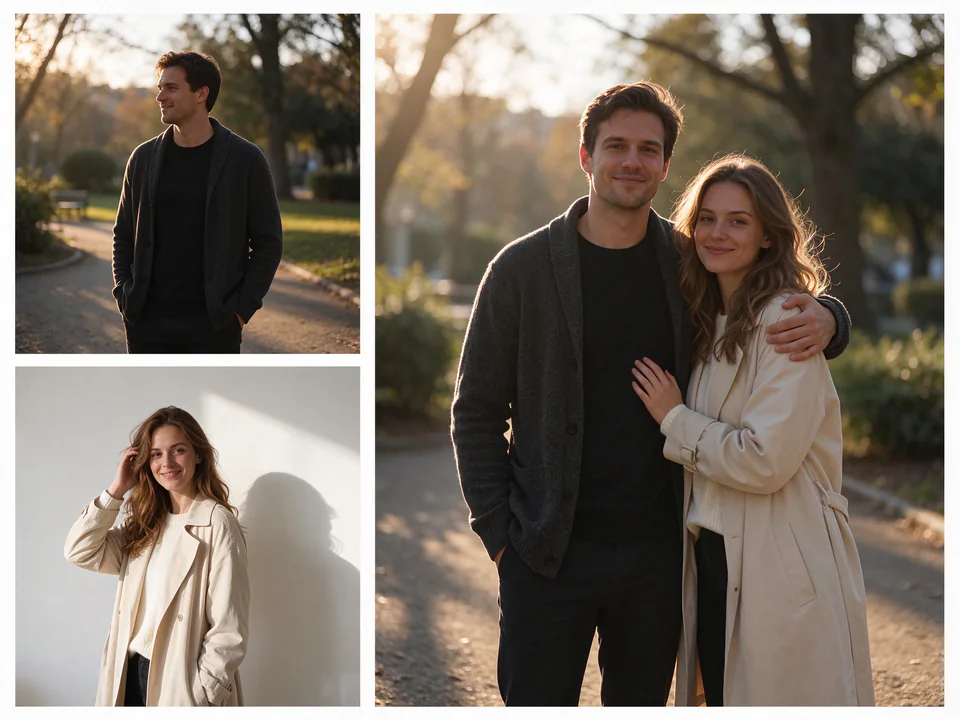
Two Single Portraits, One Couple Photo
He was photographed alone on a park path at dusk; she was photographed alone against an indoor wall. The combiner puts both into the same frame at a believable scale, moves her light to match the setting sun behind him, and rebuilds the shadow under their feet — so the result reads as one shot, not two cut-outs.
Case 02 · Portrait
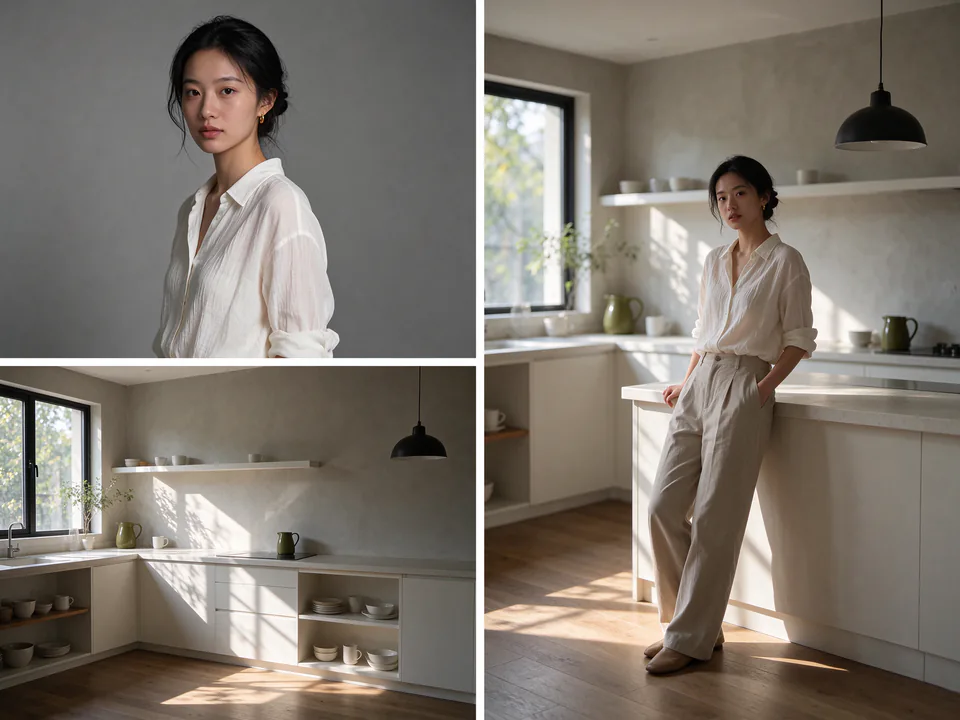
A Studio Portrait, Re-shot on Location
A grey-backdrop portrait and an empty kitchen become one photo. She keeps her own features, hair and outfit, while the window light, the highlight on the worktop and the long shadow on the floor are recalculated for the new room. Useful when the backdrop you have is not the room you need.
Case 03 · Product
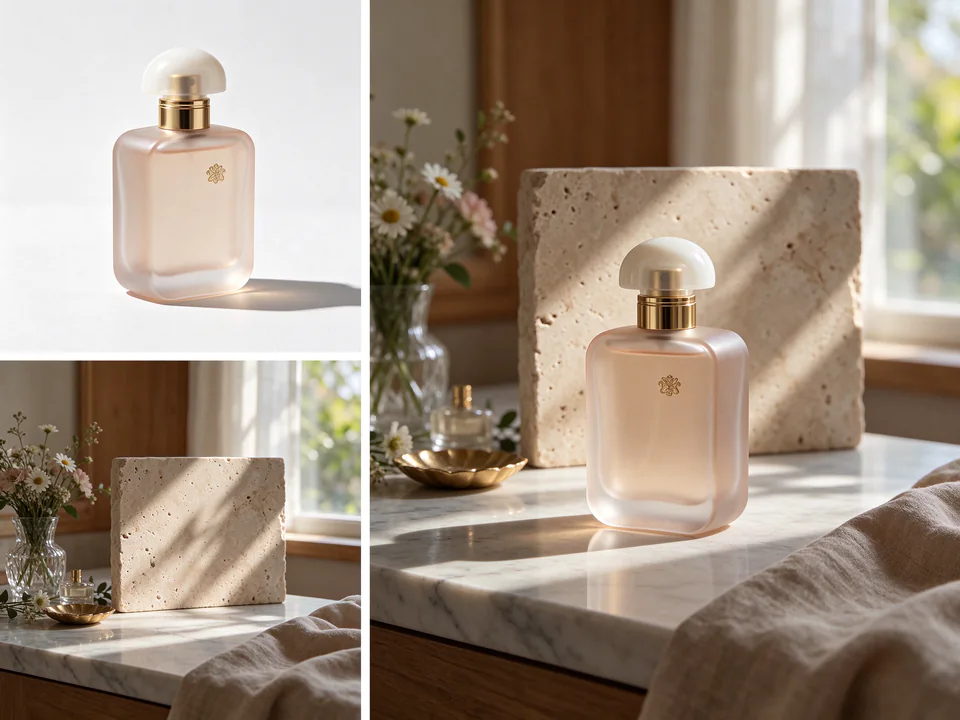
A Packshot That Sits on a Real Table
A bottle shot on seamless white meets an empty vanity scene. The bottle keeps its shape and label, but its reflections switch from studio strobes to window light, and a contact shadow plus a soft reflection appear where glass meets marble. That contact detail is what stops a listing image from looking composited.
Case 04 · Blend
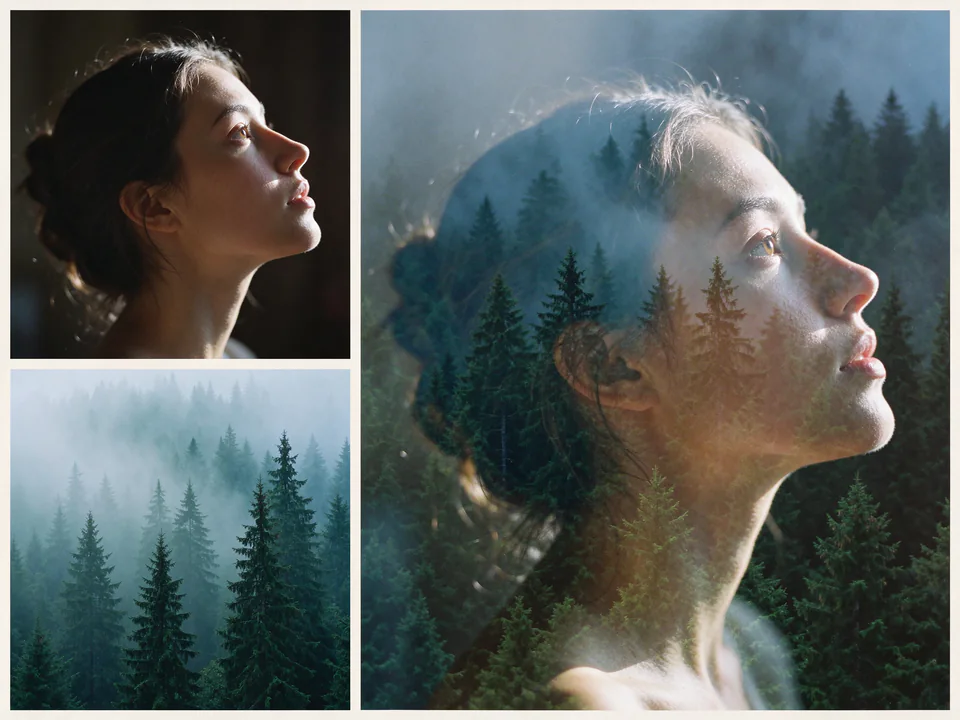
Two Scenes, One Exposure
A side-lit profile and a misty forest at half strength. Forest detail runs across the cheek and hair while the outline stays readable, and the cool green sits against warm skin instead of fighting it. This is a blend mode and a clipping mask, done in one sentence.
Frequently Asked Questions
The questions people ask before the first upload.
Is the AI image combiner free?
Yes. Sign in to start combining images with your daily free credit allowance. Exports come without a watermark.
How is this different from an AI image generator?
A generator creates a new image from a prompt. A combiner takes two images you already have and puts them into one frame, keeping the content of both.
Can I combine more than two photos?
Yes. Sign in to combine up to five photos at a time. You can also reuse a combined image as an input for another merge.
Do the two photos need the same lighting?
No. The AI adjusts brightness, color temperature and shadow direction to match the scene you describe, which is what makes the merge look photographed rather than pasted.
What happens to my uploads?
A preview appears in your browser when you select photos. When you generate, your images and prompt are sent to our image-processing service. Inputs and results may be kept so you can find them in History. See our Privacy Policy for details.
Which file types can I upload?
JPG, PNG and WebP, up to 10 MB each. Clear, evenly lit images combine most convincingly; screenshots and low-quality saves also work but may need a second try.
Start Combining Images with AI
Upload two photos. Describe the merge. Download a single, watermark-free image.